

Project Description
[fullwidth background_color=”” background_image=”” background_parallax=”none” enable_mobile=”no” parallax_speed=”0.3″ background_repeat=”no-repeat” background_position=”left top” video_url=”” video_aspect_ratio=”16:9″ video_webm=”” video_mp4=”” video_ogv=”” video_preview_image=”” overlay_color=”” overlay_opacity=”0.5″ video_mute=”yes” video_loop=”yes” fade=”no” border_size=”0px” border_color=”” border_style=”solid” padding_top=”0″ padding_bottom=”20″ padding_left=”0″ padding_right=”0″ hundred_percent=”no” equal_height_columns=”no” hide_on_mobile=”no” menu_anchor=”” class=”” id=””][separator style_type=”none” top_margin=”-45″ bottom_margin=”” sep_color=”” border_size=”” icon=”” icon_circle=”” icon_circle_color=”” width=”” alignment=”center” class=”” id=””]
Connecting Your Yelp Business Listing
Yelp has become an important site for consumers who are looking for your business. Yelpers (the consumers who post reviews on Yelp) have contributed over 67 million reviews on Yelp from over 75 U.S. metro areas and growing, so it’s easy to see why you’d want to ensure your Yelp listing is up-to-date and accurate.
To Connect your Yelp listing to Merchant Centric there are two steps you must take: Claiming and Controlling.
- Claiming is a process that tells Yelp you are the owner of a business listing. You must claim your business listing on Yelp in order to make any changes to it or reply to reviews.
- Controlling is the process of entering your Yelp business owner account username and password to allow Merchant Centric to make updates to your business listing for you via your Master Listing. Once controlled, you can add and make changes, including: business name, contact information, business description, hours, payment types, as well as, reply to your reviews.
Note: Yelp requires all business owners to validate their business by completing a phone validation process. This means you need to be at your business location (or have coordinated with an employee on location) to receive a call and be able to enter in a 4-digit code which will be provided during the process.
Here is a quick guide on the claiming and controlling process that will connect your Yelp business listing to Merchant Centric.
Claiming
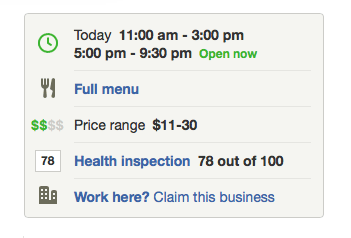
- On Yelp.com, click on the Claim this business button on your Yelp listing.
- Create a Yelp business owner account.
- Click the Call Me Now button, wait for the automated phone call and, at the prompt, enter the 4-digit code provided by Yelp (on your screen).
- Check your email account for a confirmation email from Yelp and follow the directions accordingly.
- While you will have completed Yelp’s claiming process, you will not be able to reply to Yelp reviews until an image of the Owner/Manager has been uploaded to your Yelp profile. Note: Yelp requires that the uploaded image be of someone’s face without sunglasses or a hat (No logos, building images, product pictures, etc.)
- You are now able to control your Yelp listing with your Merchant Centric account.
Controlling
- Login to your Merchant Centric account and go to the Visibility page.
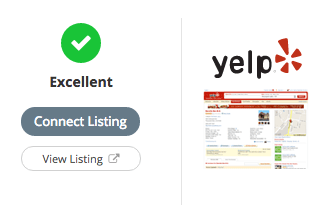
- Click on the Connect Listing button on your Yelp listing.
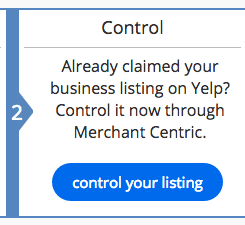
- Click on the control your listing button.
- Enter the email & password for your Yelp account and click the control listing button.
- The email & password entered will be verified. Please respond to any on-screen messaging until you receive a Controlled Successfully message.

Some Final Notes on Yelp
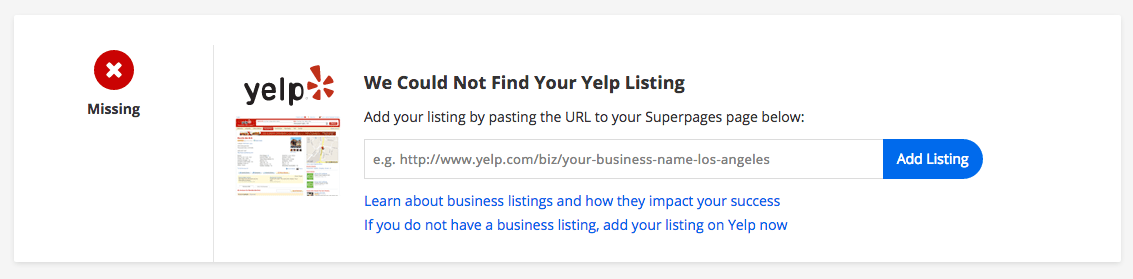
Your Visibility page in Merchant Centric will show you the status of your Yelp listing. If it says Missing you will need to locate the listing before claiming and controlling. If you know your business is listed on Yelp already, go to the listing and copy and paste the URL on your Visibility page where indicated.
However, if you know that your business is not currently on Yelp or you’re not sure, you should go to Yelp first and conduct a quick search for it. If your business name does not come up in your Yelp search results, you will have to add it to the site by using their Add a Business button found at the bottom of the Yelp search results page.
Follow the instructions on Yelp to complete that process before claiming and controlling through Merchant Centric. Once you submit your request to add your business, it may take some time for Yelp to process your request so Merchant Centric can find it. Check your Visibility page often for the update from Yelp.
Should you have any questions along the way, it would be our pleasure to assist you. Please call (818) 889-1688 or email us. We are available Monday through Friday, 7am to 6pm PT.


