

Project Description
[fullwidth background_color=”” background_image=”” background_parallax=”none” enable_mobile=”no” parallax_speed=”0.3″ background_repeat=”no-repeat” background_position=”left top” video_url=”” video_aspect_ratio=”16:9″ video_webm=”” video_mp4=”” video_ogv=”” video_preview_image=”” overlay_color=”” overlay_opacity=”0.5″ video_mute=”yes” video_loop=”yes” fade=”no” border_size=”0px” border_color=”” border_style=”solid” padding_top=”0″ padding_bottom=”20″ padding_left=”0″ padding_right=”0″ hundred_percent=”no” equal_height_columns=”no” hide_on_mobile=”no” menu_anchor=”” class=”” id=””][separator style_type=”none” top_margin=”-45″ bottom_margin=”” sep_color=”” border_size=”” icon=”” icon_circle=”” icon_circle_color=”” width=”” alignment=”center” class=”” id=””]
Fix Your Visibility on Top Sites by Connecting Your Listings
Until you connect your business listings on top sites, like Google, Yelp, Yahoo, Facebook, to Merchant Centric, you are at risk of critical information being incorrect, inconsistent or changed without your knowledge.

By connecting your listings through Merchant Centric, you can be confident that your online visibility to consumers will present what you want them to see.
Merchant Centric will monitor your information on these sites. If there is ever a difference between your Master Listing and your business listing, the inconsistencies will be highlighted in yellow so you know what needs to be edited. This will help you quickly manage all your listings on top sites in one place with your Merchant Centric Master Listing.

To edit your listings using Merchant Centric you need to first connect your listings to Merchant Centric. This is done by claiming your listing, which consists of contacting each site to prove you are the owner of your business location listed on their site. Once you have claimed your listing you can control your listing by entering the username and password for each site you want connected to Merchant Centric. Your information is stored securely and Merchant Centric only uses the credentials on your behalf to keep your information properly updated.
To connect your listings to Merchant Centric, use the Connect Listing button.
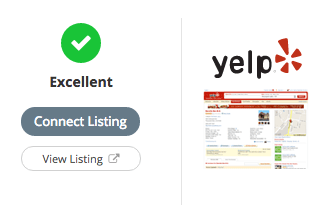
You will be given instructions on how to connect the listing, which you can do yourself or you can contact Merchant Centric. We are happy to help you with this process; just go to Help under the My Account menu area to contact us by phone or email.


